Custom Exhibit Line VS Custom Modular

November 13th, 2008

Q. Zach, what is your opinion on the above display systems?

A. Well, I have several concerns about the custom display booth.

1. My first concern is that there is a backwall blocking an audience from 1/4 of the display. If your space is a 20×20 island, it is unusual to put a wall against one entire side of your space, blocking visibility of and traffic to your booth from that side. However, if your space is a 20×20 peninsula, this style would of course work, assuming this backwall is against the wall side of the peninsula space. If you are in an island space and you do choose to place a backwall as shown in the rendering, it would be wise to at least put graphics on the outside of that wall in order to utilize as much visibility as possible. We would suggest a higher center tower with more graphic space instead of a backwall. This opens up the floor of your space, centers your message, increases your visibility, and all in all creates a warmer, more inviting atmosphere for your attendees.

2. Secondly, there is a lot more extrusion use in this style. This is of course a preference, but it does have some practical purpose to use less extrusion. A thinner extrusion used less often ensures less weight and less cases or crates. These in turn ensure less money spent on shipping and drayage. Not to mention number of pieces, tools necessary, and set up time would all decrease with a thinner extrusion used less often. I want to be sure to tell you that the same look/style and the same amount of graphic space can be achieved using less extrusions. For instance, many of the cross pieces are unnecessary. They serve no purpose other than a boxed in look. We would suggest a more space driven setup that is less “boxy” and more open, more warm and personal and less industrial. Extrusions are an excellent tool for creating trade show displays, but we find that they work and look best if they are used in moderation, more as an accent than a prominent feature.

3. Is the center column placement in the rendering final? Its current position restricts patrons from walking between it and the backwall. One of the best benefits to having a 20×20 island is that attendees will always walk through your display from one end to the other. If a path is blocked, they will be less likely to actually enter the space, and more likely to walk by while glancing in. Another advantage to keeping the perimeter of your booth floor as open as possible is that it welcomes rather than restricts.

Those are my concerns for this setup/style. My last question would be price. This kind of setup will certainly increase cost due to the extrusion size and amount, and the amount of slatwall.

At Tradeshowdirect, we strive to be competitive in pricing, but also in getting you the best system for dollars spent. For this reason alone we make every effort to judge each aspect of every display.

THE BIG MOVE!

November 10th, 2008

Tradeshowdirect is changing locations. What was once outgrowing an eager young man’s basement, has now outgrown a 6,000 square foot facility. So, on to the final upgrade to a 30,000 square foot warehouse!

Breaking down ten foot high pallet racks, moving heavy machinery, and transporting stock items has been the daily routine at 29 West Water Street for the last 6 months. As the transition continues, Tradeshowdirect will move the office this Friday, November 14th. So if you’re planning a heist, you’d better get here by Friday or there will be nothing left!

In order to accomodate for Tradeshowdirect’s growth in the last 5 years, a new building was purchased last January with the intent to renovate and move in over the course of the year. After a lot of drywall and plaster, Tradeshowdirect will finally take up its new seat across town.

A considerable upgrade, the new facility offers level floors, high ceilings, truck entrances and ramp, along with its plenteous space. Tradeshowdirect looks forward to better accomodating its customers as we enjoy our new accomodations.

Preparing your InDesign Files for Output

October 23rd, 2008

We often receive uploaded files that are not properly prepared. Broken links, missing files or fonts, improperly sized files, or absent bleeds frequently cause delays in producing our clients’ displays.

Basic rules:

- Use Adobe InDesign whenever possible, and never embed images - link to them
- Work at actual size with 100dpi resolution
- Always convert text to outlines
- Include a .5″ full bleed on everything
- Always work in CMYK mode
- Before uploading, double check that all files are included in your packaged folder

In an effort to help address these errors before they occur, Tradeshowdirect references the following instructional video on how to properly preflight your files before uploading.

Adobe InDesign Preflight Instruction Video

For more design help, check out the Graphic Design Questions in the FAQ section of our blog.

What To Look For In A Pop-Up Display

September 4th, 2008

There are hundreds of pop-up displays on the market today. So how do you know which will give you the most for your money? Here’s the hard truth of the trade show display industry: you always get what you pay for. Having said that, here are a few truths about pop-up displays that you should be on the lookout for:

- Many are manufactured in China and imported to the US. A great way to spot these is the price - usually far below the industry standard, somewhere in the $500-$900 range. Distributors buy these low-quality, mass produced displays for extremely low prices and resell them at a rate that represents well their poor quality.

- Not all pop-up frames are constructed in the same way. Pay close attention to the hubs, the components that hold together and operate the joints of the frame. If the hubs are bad, the frame won’t hold up. 

- A case is a case right? Wrong. Many distributors save (and make) a lot of money on a low quality case. The case is the most important part of your display. When everything can be stored in one case, it had better be a case that can adequately protect the valuable components. It should have sturdy latches that work correctly, and be made of thick polyurethane that will stand up to the wear and tear of shipping across the country.

- Not all fabric is the same. Buying the cheapest display you can find can result in unknowingly purchasing fabric panels that do not meet the strict fire codes of your exhibiting facility. Generic fabric can be spotted by its limited color availability. Always look for a vendor that sells more than just black, blue, and gray.


Tradeshowdirect is proud to sell the Value Pop-Up Display. Made in the USA, consisting of FrontRunner Fabric panels in a variety of brilliant colors, a frame backed by a lifetime warranty, all packaged in a rotational molded polyurethane (100% recyclable) case with lockable latches, and priced to sell - our Pop-Up displays are an excellent value for their high quality.

We sell products that last. Purchase your first and last pop-up display from Tradeshowdirect today.

Do the Twist!

July 31st, 2008

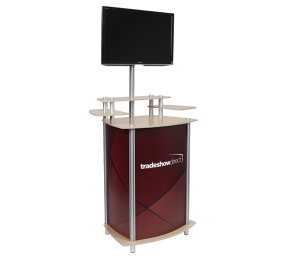
Introducing Tradeshowdirect’s newest addition to trade show counter systems: Twist Displays.

Twist Displays offers simple counter and tower solutions that have a big impact. Constructed of anodized aluminum tubing and premium European birch plywood, these counters offer basic to completely custom designs. The standard products include a triangle, oval, and square counter, all of which can be converted into columns as well. These counters use plastic infill panels providing a flat surface for graphic space, and allow the interior section to be used for hidden storage.

Twist Displays are completely manufactured in the USA in Tradeshowdirect’s warehouse. Starting at $495 these counters are more than affordable, and can usually be shipped the day after the order is placed.

TS2

July 1st, 2008

TS2 2008, Total Solutions Marketing for the Exhibit & Event Professional, will be held Monday, July 28– Thursday, July 31, 2008 at the Pennsylvania Convention Center in Philadelphia, PA.

Ken Bell, President and owner of Tradeshowdirect, will be exhibiting at the show, and featuring a new and exciting trade show display product line for release.

Call us for free tickets to the exciting trade show for trade shows.

New Display Gallery

June 26th, 2008

Quality assurance is the most important part of any project that leaves our shop. In order to ensure that every single trade show display meets the highest quality standards in the industry, we assemble every booth to its final set up before shipping. We professionally photograph each booth, banner stand, kiosk, or counter for our records, and forward these photos to our customers as well.

Our brand new Display Gallery features a number of our favorite projects from past and present. Featuring ten to twenty foot booths, kiosks, counters, and banner stands, it is an excellent resource for referencing the high quality graphic and hardware production Tradeshowdirect is known for.

Sales representatives are standing by to assist you with your next purchase. Feel free to give us a call at 800-605-6179 or visit us online at www.tradeshowdirect.com for a quote today.

What Does “Green” Really Mean?

June 25th, 2008

What does it mean to go Green in the trade show industry? The term “Green” is so subjective it is sometimes hard to tell. And with so many “Greenwashers” out there, that is, those who use the term merely for their image, how does anyone know the truth behind a Green trade show display?

Let us put to rest any myths that surround this whole topic. Going Green is a concept, an idea, and a good one for sure. And in this industry, it’s something everyone can strive to achieve as much as possible. But the key thing to remember is that “going Green” is not easy to do, and is not something that’s written in stone. There’s no official list of criteria that must be met for a display to qualify as Green. However, research has been conducted on the subject, and in this industry, people seem to know what they expect Green to be.

Exhibitor magazine’s “An Inconvenient Booth,” a breakthrough report on what exhibitors and vendors perceive for the future of the Green movement, lists the top 9 factors that determine a product’s Greenness.

1. Products are designed in such a way that they are more convenient to ship.

It has been Tradeshowdirect’s goal from the beginning to only sell lightweight and portable booths. We also know that designing and selling lightweight booths that breakdown easily saves large amounts of money when it comes to fuel - especially these days.

2. Products don’t have toxic/harmful components/ingredients.

Tradeshowdirect makes every effort to choose hardware components and manufacturing processes that are low in toxicity. Aluminums, plywoods, and plastics that are low in harmful chemicals are a large part of our display systems.

3. Products aren’t made from materials that are endangered/in short supply.

Portable exhibits like the ones we sell are the best at meeting this criteria. Rarely are displays made from material that is in depletion, or in danger of extinction.

4. Products have a sustainable design that promotes the reuse of components.

This is a criteria we have had in place for our products since we started. What good is spending thousands of dollars on a trade show booth if you can’t reuse it again and again? All of our booths are built to last, carry valuable warranties, and we have many clients who “re-skin” their booth with new exhibit graphics.

5. Products are designed to consume less material overall.

This is a must for portable booths. Less material = less weight = easier to transport = cheaper to ship = less hassle. We specialize in the distribution of lightweight easy to handle exhibits so your display is as hassle free as possible.

6. Products are recyclable themselves.

We sell some booths and exhibit products that are completely recyclable, and many booths that have recyclable components, such as Xpressions booths or Entasi. Graphics, certain fabrics, laminates, and substrates are all part of exhibits that are currently undergoing research to become more recyclable. All of our booths are made to be reused, and most carry a strong warranty, so recycling may not be necessary depending on the extent to which your booth is used.

7. Products are made from recycled materials.

Yet another aspect of trade show displays that is under immediate growth due to the Green movement. This new trend demands that exhibitors and suppliers alike search for ways to create booths from recycled materials. Tradeshowdirect makes every effort to use recycled materials whenever possible. Nearly all aluminum produced in the US today is recycled aluminum. Recycled aluminum and plastics are two important ingredients in almost every booth we sell.

8. Supplier reclaims/recycles a substantial proportion of the waste generated by its manufacturing operations.

9. Supplier’s manufacturing process consumes less energy/materials and/or produces less waste/harmful emissions.

Tradeshowdirect manufactures some of its products in-house. Of those we produce, every effort is made to create as little waste as possible. Making sure to get the best yield from a section of plywood, sintra, fabric, and aluminum tubing. When recyclable waste is produced, it is recycled.

So how do you make a Green display? To put it in perspective, the more criteria met, the Greener the display. Tradeshowdirect is doing its best to meet as much criteria as possible, keeping in mind the customer’s ideas, goals, and expenses. We believe that in this industry, you get what you pay for - and the Greener you can be, the better it is for everyone and our environment.

Save More Moolah

June 10th, 2008

We believe there’s no such thing as a worthless trade show display. As the value of the dollar decreases and prices continue to rise, buyers look to save money as much as possible. The following is a list of recommendations to do just that.

1. Reuse your old display. Have an old pop-up frame sitting in storage collecting dust? Pull it out! Chances are it’s in decent shape and can display graphics just fine. If it’s in need of slight repair, look into its warranty information. And if there is no warranty, contact Tradeshowdirect - we can fix it up. Reusing a frame can save you $700-$1000.

2. Say “no” to shipping. If your display is portable, carry it with you! Most airlines will allow trade show displays to check as luggage. Sure you’ll have to lug it around, but saving money is saving money, and most portable systems are made for this type of transport. Shipping costs can be through the roof when displays have to get from venue to venue in less than three days. Tradeshowdirect specializes in the portability of trade show booths, and nearly all of our products can easily be carried by hand.

3. Skip lighting. Trade show lighting can look nice, but is rarely necessary. Leaving the lights at home will reduce your electricity cost at the show, your overall purchase price, and save even more since replacement bulbs or lenses won’t be necessary.

4. Get creative. Don’t spend money on commodities that are unnecessary. Get creative with accessories like furniture and literature racks. Use personal items whenever possible. Take advantage of the table the trade show provides. If it’s not a hassle, use folding chairs your office already owns. Furniture can prove to be more expensive than graphics. Instead of purchasing soft flooring buy Dr. Scholl’s gel sole inserts.

5. Don’t buy cases. Trade show cases cost on average $250 a pop. Most displays are packaged in padded bags and shipped in cardboard boxes. Instead of investing in a case, reuse the box your display arrived in.

6. Create a large look with a small display. Use several smaller systems to create a large one. Try three or four banner stands to create a backwall and save $300-$500. Purchase a few trade show kiosks to fill your space. Look at different ways to create a unique look for lower cost.

Tradeshowdirect is constantly looking for ways to save you money. Visit our store online www.tradeshowdirect.com.

Take Your Time

June 4th, 2008

Shopping for a trade show display? The best advice we can give is to take your time. Educate yourself on display systems and how they work before you buy. There are a lot of display systems out there that look great on a computer screen, but looks can be deceiving. Check out our article called Alumalite vs Exhibit One for a great example of this.

Trade show accessories can sometimes be tricky. It’s always good to ask about monitor mounts, lights, and literature stands or racks. Many displays have certain criteria that must be met for their accessories to work properly. Most displays have these accessories available, but they often work only on their respective displays. It is not wise to purchase a monitor mount somewhere other than where the display came from. Accessories like these have intricate parts, screws, and holes that must line up perfectly in order for them to be usable.

Lighting your display can also be challenging with different fire codes at different venues. Las Vegas is a great example of a strict regulation on wattage limitations. Anything above 75 watts is not allowed in their showrooms. Clamps are the most important feature when it comes to finding the right lamp. Be sure to find out what style clamp you need, or you may not be able to mount and use the lights you purchase!

Tradeshowdirect’s sales team is well educated on every product we sell, and other trade show products in the industry. In the trade show world, you get what you pay for. For this reason, we choose to sell only high quality products. In order to do that, we must educate ourselves on everything out there. So if you are unsure about a display, accessory, or light, give us a call and let our exhibit consultants guide you in the right direction, straight to a display that is right for you.